
Site Author and Content Author toolbar: (full toolbar) includes Page, Files, Status, Edit/Preview/Live, RSS Builder, Site Tools, Change Password, User Name, and Logout button.

Document Author Toolbar: omits the Status field, does not have Edit/Preview/Live or RSS Builder buttons.
The Member Toolbar only has two buttons: Logout and Change Password.
The features available on the toolbar are based on the highest role the user has in any group, so if a user is just a Member in one group but a Site Author in another group, that user will see the full Site Author toolbar. Certain options in the Page menu dropdown will be greyed out for Content or Document Authors, such as 'Delete Page'.
(More about User Roles)

Page Button : Opens dropdown menu of page options including New, Open, Copy, Delete, Publish, Workflow, and View Properties. Only a Site Author will have access to the complete menu, and only while in Edit Mode. (More about Pages and Site Authors)
 Files Button: Opens the Document Explorer for file management including upload, edit properties, and view versions (Enterprise License only). (More about Document Explorer)
Status Icons
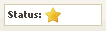 Gold Star: Everything on the page has been published and is live on the site. (Preview and Live modes match)
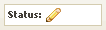 Pencil: Something has been edited since the last published version. This could be new/changed content, section, menu, or page. This icon will also display if the page has never been published.
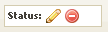 Pencil with Red Circle: Either the page or a piece of content has been marked for deletion. (Deletion is completed when the page or content is published)
 Edit/Preview/Live: Allows Content Authors and Site Authors to view the page in three different 'modes' for editing, previewing changes, and viewing the live site.
  RSS Builder: Opens a popup window that guides users through creating an RSS feed based on content author groups, topics, and other parameters and provides a URL to the RSS feed. (Future post: More about RSS Builder)
 Site Tools: Opens a new browser tab to view other administrative features, such as user administration, topic administration, and Site Map controls. (Future post: More about Site Tools)
